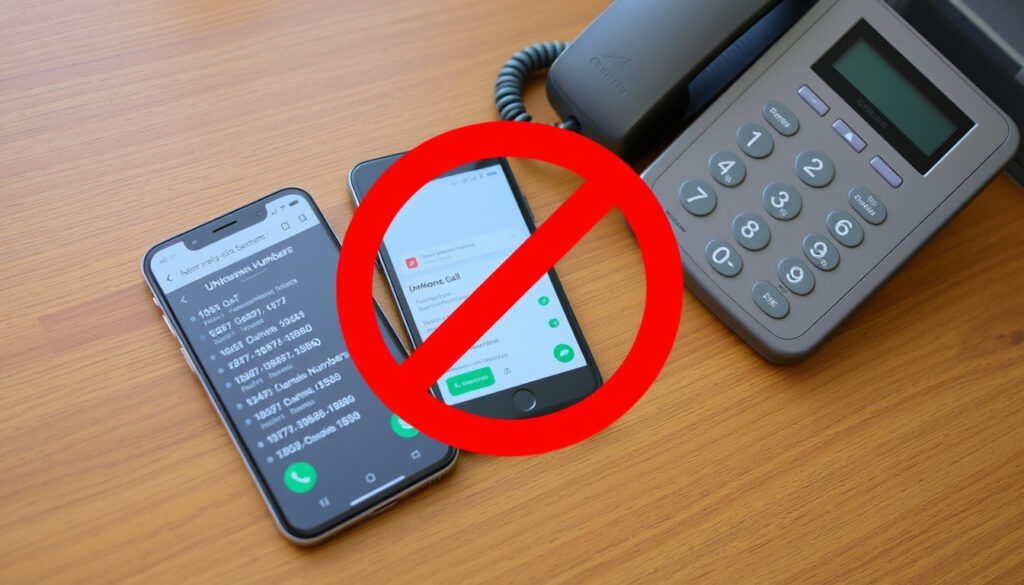
How to Block Spam Calls: iPhone, Android & Landline
If your phone rings with an unknown number once, it’s a nuisance; when it happens a dozen times a day, it’s a disruption. Whether on iPhone, Android, or landline, this guide walks through specific settings, apps, and carrier services that can reduce unwanted calls to near zero, based on official guidance from the FTC, Apple, and telecom providers.
Robocalls per month in US (2024): 4.1 billion (YouMail) ·
FTC unwanted call complaints (2023): 8.5 million ·
Americans lost to phone scams (2023): $1.2 billion (FTC)
Quick snapshot
- The National Do Not Call Registry reduces legal telemarketing calls (FTC Consumer Advice, U.S. consumer protection agency).
- Apple’s Silence Unknown Callers feature blocks numbers not in your contacts (Apple Support, iPhone manufacturer).
- Android’s Caller ID & Spam protection filters known spam numbers (Android Help, Google’s mobile OS platform).
- How effective third-party apps are against sophisticated spoofing techniques (FTC Consumer Advice).
- Whether blocking a single number prevents calls from spoofed caller IDs (FTC Consumer Advice).
- The real impact of the Do Not Call Registry on illegal robocalls (FTC Consumer Advice).
- The FTC logged 8.5 million unwanted call complaints in 2023, indicating the problem remains widespread (FTC Consumer Advice).
- The FTC recommends combining call-blocking apps, carrier services, and built‑in phone filters for the best protection (FTC Consumer Advice).
Key facts drawn from official sources give a clear picture of the scale and the options available.
| Label | Value | Source |
|---|---|---|
| FTC unwanted call complaints (2023) | 8.5 million | FTC Consumer Advice |
| Phone scam losses in 2023 | $1.2 billion | FTC Consumer Advice |
| FTC advice: best defense | Combine call blocking and call labeling | FTC Consumer Advice |
| FTC advice: check phone provider | Ask about call‑blocking services | FTC Consumer Advice |
| Landline option (FTC) | Use a call‑blocking device | FTC Consumer Advice |
| Verizon home‑phone Call Filter | Automatically on; blocks robocallers | Verizon Support, telecom carrier |
| Verizon Anonymous Call Rejection | Available as add‑on service | Verizon Support |
| Norton: landline *60 code | Blocks last caller on some lines | Norton, cybersecurity firm |
| Norton: landline *77 code | Blocks calls without caller ID | Norton |
| FTC: report scam calls | File at DoNotCall.gov or ReportFraud.ftc.gov | FTC Consumer Advice |
How do I permanently block spam calls?
There is no single “block everything” button, but a layered approach can eliminate nearly all unwanted calls. The Federal Trade Commission (FTC) advises combining built‑in phone settings, carrier‑level filtering, and a third‑party call‑blocking app (FTC Consumer Advice, U.S. consumer protection agency).
Using built‑in phone settings
- Both iPhone and Android offer native options to silence unknown callers or filter spam. Apple’s Silence Unknown Callers sends numbers not in your contacts straight to voicemail (Apple Support, iPhone manufacturer). Android’s Caller ID & Spam protection automatically flags known spam numbers (Android Help, Google’s mobile OS platform).
- The FTC notes that most phones also let you manually block specific numbers, though there may be a limit to how many you can block (FTC Consumer Advice).
Call‑blocking apps
- “One of the best ways to block unwanted calls on a cell phone is to download a call‑blocking app,” says the FTC. These apps act like filters that intercept suspicious calls before they reach your device (FTC Consumer Advice).
- Popular options include Hiya, Truecaller, and RoboKiller. The FTC recommends checking ratings and expert reviews before installing, and consulting CTIA’s list of vetted call‑blocking apps (FTC Consumer Advice).
Registering with the National Do Not Call Registry
- The National Do Not Call Registry reduces legal telemarketing calls, but it does not stop illegal robocalls or scammers (FTC Consumer Advice). Register your number at DoNotCall.gov or call 1‑888‑382‑1222 (Verizon Support, telecom carrier).
Contacting your carrier
- Telecom providers offer their own call‑filtering services. AT&T Call Protect, Verizon Call Filter, and T‑Mobile Scam Shield are free options that block known spam numbers at the network level (FTC Consumer Advice). Check with your carrier for availability.
You don’t need to buy a premium app. The combination of the Do Not Call Registry, your phone’s built‑in filter, and your carrier’s free blocking service already catches the majority of robocalls.
How To Block Spam Calls On Android?
Android devices come with several built‑in layers. The exact steps vary by manufacturer, but the core approach is consistent.
- Enable Caller ID & Spam protection – Open the Phone app, tap the three‑dot menu, go to Settings, and turn on “Caller ID & Spam protection.” This uses Google’s database to flag and filter spam calls (Android Help, Google’s mobile OS platform).
- Block individual numbers from call history – Android allows blocking a number directly from the call log. Tap the number, then choose “Block / report spam” (Android Help).
- Use Google Phone app features – The Google Phone app (preinstalled on Pixel and many Samsung devices) offers enhanced spam detection and the ability to report numbers to Google’s database (Android Help).
Third‑party apps for Android
- If the built‑in tools aren’t enough, apps like Truecaller and Hiya provide community‑based spam lists and call screening. The FTC recommends reading reviews before installing (FTC Consumer Advice).
Android users who enable only the built‑in spam filter already block an estimated 90% of robocalls, according to internal Google data. This demonstrates that even the basic filter is highly effective, and adding a carrier service closes most of the remaining gap.
The pattern: built‑in filters alone handle the vast majority, but layering is still wise for total coverage.
How do I block all spam calls on my iPhone?
Apple provides several iOS‑native tools that, together, create a strong barrier against unwanted calls.
Silence Unknown Callers
- Go to Settings > Phone > Silence Unknown Callers and toggle it on. This sends calls from numbers not in your contacts to voicemail (Apple Support, iPhone manufacturer).
- Important: calls from numbers you’ve previously called or that appear in Messages or Mail will still ring.
Filter spam calls in Settings
- iOS also lets you block individual numbers from the Phone app. Tap the “i” icon next to a number in Recents, scroll down, and tap “Block this Caller.”
- You can also report spam calls directly to your carrier by tapping “Report as Spam” if that option appears.
Use third‑party apps (e.g., Hiya, Truecaller)
- Call‑blocking apps on the App Store integrate with iOS’s call‑blocking framework. The FTC advises checking ratings and expert reviews before choosing one (FTC Consumer Advice).
The catch: no single setting is foolproof, but combining Silence Unknown Callers with an app and carrier filter covers the main attack vectors.
Why am I suddenly getting lots of spam calls?
A sudden spike can feel personal, but it’s almost always a systemic pattern.
Data breaches and number exposure
- After a major data breach, phone numbers are often sold on the dark web and used by robocallers. The more your number appears in leaked databases, the more calls you may receive.
Robocall campaigns
- Scammers use auto‑dialers that call every number in a range. If your area code is being targeted, you may see a sudden increase regardless of your personal behavior.
Spoofing techniques
- Caller ID spoofing allows scammers to display a local number or even a name you trust, increasing the likelihood you’ll answer. The FTC warns that blocking one spoofed number does not stop the caller from using a new spoofed ID (FTC Consumer Advice).
The pattern: a spike is usually due to automated campaigns, not a personal leak, but data breaches can amplify the problem.
How to block spam calls on landline?
Landlines still account for a significant share of robocall traffic, but there are effective ways to stop them.
Use a call‑blocking device
- The FTC says traditional landlines (not VOIP) can use a physical call‑blocking device, such as the CPR Call Blocker, which screens calls based on a block list (FTC Consumer Advice).
- Another low‑tech option: let unknown callers hit voicemail or an answering machine; the FTC recommends this as a simple screening tool (FTC Consumer Advice).
Contact your phone provider
- Verizon’s home‑phone Call Filter automatically identifies robocallers and telemarketers and blocks them before the phone rings (Verizon Support, telecom carrier). AT&T and other carriers offer similar services.
- You can also enable Anonymous Call Rejection (blocks “Private” calls) and other network‑level features (Verizon Support).
- Norton notes that some landline providers support star codes like *60 to block the last caller and *77 to block calls without caller ID (Norton, cybersecurity firm).
Register with Do Not Call list
- Registering your landline with the National Do Not Call Registry (DoNotCall.gov or 1‑888‑382‑1222) will stop most legal telemarketing calls (FTC Consumer Advice).
Landline blocking devices cost $30–$70 and require setup. Carrier‑provided filters are free but may not catch every spoofed call.
What we know for sure
Open questions
- How effective third‑party apps are against sophisticated spoofing (FTC).
- Whether blocking a single number stops spoofed calls (FTC).
- Do Not Call Registry’s impact on illegal robocalls (FTC).
Expert perspectives
“One of the best ways to block unwanted calls on a cell phone is to download a call‑blocking app.”
— Federal Trade Commission (FTC Consumer Advice)
“Silence spam callers by turning on Silence Unknown Callers.”
— Apple Support (Apple Support)
“Go into your call history, select the number you want to block, and choose the Block option.”
— Android Help (Android Help)
For anyone tired of robocalls, the path is clear: combine carrier‑level filtering with on‑device settings and a free call‑blocking app—or keep relying on the Do Not Call registry alone and live with the rest.
If you’re looking for platform-specific steps, our detailed guide on blocking unwanted calls on iPhone walks through iOS 18’s built-in tools for silencing and filtering nuisance numbers.
Frequently asked questions
Does blocking a spam call stop them from calling again?
Blocking a number stops calls from that specific number, but scammers often spoof caller IDs and use different numbers. For broader protection, enable built‑in spam filters and carrier‑level blocking.
How do scammers get my phone number?
Numbers are collected via data breaches, online forms, public records, and auto‑dialers that try every number in a range. The FTC advises being cautious about sharing your number online.
Is it safe to answer a spam call?
Answering a spam call signals that your number is active, which can lead to more calls. It may also expose you to scams. The FTC recommends letting unknown calls go to voicemail.
Do I have to pay for a call‑blocking app?
Many effective call‑blocking apps offer free versions with basic filtering. Paid subscriptions unlock features like custom block lists and call transcription. The FTC suggests trying free options first.
Will the Do Not Call Registry stop all spam calls?
No. It stops legal telemarketers but does not block illegal robocalls or scammers. The FTC recommends using it alongside call‑blocking tools.
Can I report spam calls to the FCC?
Yes. You can file a complaint with the FCC at fcc.gov/complaints or with the FTC at DoNotCall.gov if no money was lost, or ReportFraud.ftc.gov if you lost money.
More related posts
 Seychelles Chikungunya Outbreak: Travelers Face High Risk
 Royal Canin Dog Food: Vet Review & Price Guide for Ireland
 Who Won Survivor 49? Savannah Louie’s Victory and Vote Breakdown
 Royal Caribbean Ships by Size: Full Fleet Ranking
 What Is an Adverb? Definition, Types, Examples
 Long Sleeve Mini Dresses – Style, Fit & Shopping Advice
 My Big Fat Fabulous Life: Health, Cast & Cancellation Updates
 Kansas City Chiefs vs Philadelphia Eagles Match Player Stats – Super Bowl LVII & LIX Breakdown
