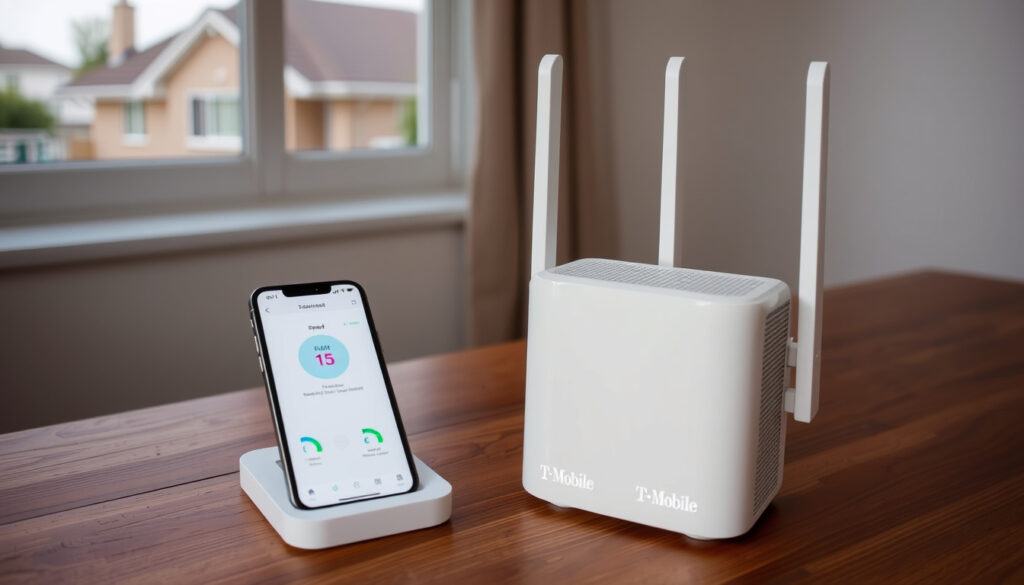
T-Mobile Home Internet 2025: Plans, Pricing, Speeds & Downsides
Anyone who’s shopped for home internet in the past year has probably noticed a new option appearing alongside the usual cable and fiber providers. T-Mobile Home Internet uses the company’s 5G network to deliver broadband wirelessly, and for many households, it’s become a serious alternative to traditional ISPs.
Starting Price: $35/mo with AutoPay ·
Typical Download Speeds: 72 – 245 Mbps ·
Data Cap: None ·
Contract: No annual contract ·
Equipment Fee: Gateway included at no extra cost
Quick snapshot
- Plans start at $35/mo with AutoPay (T-Mobile (official plans page))
- No data caps or annual contract (T-Mobile (official plans page))
- Gateway hardware included at no extra cost (T-Mobile (official plans page))
- Actual speeds vary by location and tower congestion (T-Mobile (official plans page))
- Future price increases beyond the 5-year lock are not guaranteed (T-Mobile (official plans page))
- Exact coverage boundaries depend on 5G tower density (T-Mobile (official plans page))
- 2025 lineup expanded to three tiers: Rely, Amplified, and All-In (T-Mobile (official plans page))
- Starlink launched Residential Lite at $80/mo in 14 states in March 2025 (Broadband Breakfast (industry news outlet))
- 5G network expansion continues to improve coverage (T-Mobile (official plans page))
- Fixed wireless competition with Starlink is intensifying in rural areas
- CGNAT limitations may push users toward VPN or business plans
- Industry analysts expect more price moves from both providers
Six key specs, one pattern: T-Mobile Home Internet offers a low entry price and unlimited data, but the trade-off is speed variability that depends entirely on your local 5G tower.
| Specification | Value |
|---|---|
| Starting Price | $35/mo with AutoPay (T-Mobile (official plans page)) |
| Typical Download Speed | 72–245 Mbps (T-Mobile (official specifications)) |
| Typical Upload Speed | 15–31 Mbps (T-Mobile (official specifications)) |
| Typical Latency | 19–37 ms (T-Mobile (official specifications)) |
| Data Cap | None (T-Mobile (official specifications)) |
| Contract | No annual contract (T-Mobile (official plans page)) |
| Equipment Fee | Gateway included (T-Mobile (official plans page)) |
| Technology | 5G Fixed Wireless |
| Availability | Check address at T-Mobile.com |
| Installation | Self-setup, about 15 minutes |
What is T-Mobile Home Internet?
T-Mobile Home Internet is a fixed wireless broadband service that uses the company’s 5G network to deliver home WiFi without the need for cable or fiber lines. Instead of running a physical wire to your home, the service sends a 5G gateway that connects wirelessly to the nearest T-Mobile tower. Plans start at $35/mo with AutoPay (T-Mobile (official plans page)), and the equipment — a 5G gateway — is included at no extra cost.
How does T-Mobile Home Internet work?
- The gateway receives a 5G signal from the nearest tower and creates a WiFi network in your home.
- No cable, fiber, or DSL connection is required — just a power outlet and a clear signal path.
- Setup takes about 15 minutes, and no professional installation is needed (T-Mobile (official plans page)).
What equipment is included?
- The 5G gateway acts as both modem and router in one device.
- You can use your own router by connecting it to the gateway’s LAN port.
- The gateway scans for the best 5G signal and connects automatically.
T-Mobile Home Internet is a genuine plug-and-play alternative to wired broadband. The catch: your speed depends entirely on local 5G tower quality, which means performance varies more than cable or fiber.
Is T-Mobile 5G home internet $35 a month?
Yes — with AutoPay and an eligible voice line, the price drops to $35/mo. The standard price without those discounts is $60/mo for the base Rely Home Internet plan (T-Mobile (official plans page)). T-Mobile guarantees that price for 5 years, and taxes and fees are included in the monthly bill.
What is the regular price?
- Rely Home Internet: $60/mo standard, $35/mo with AutoPay + eligible voice line.
- Amplified Home Internet: $70/mo standard, $50/mo with AutoPay + eligible voice line.
- All-In Home Internet: $80/mo standard, $60/mo with AutoPay + eligible voice line.
- All prices are locked for 5 years from activation (T-Mobile (official plans page)).
Are there additional fees?
- No equipment fees — the 5G gateway is included.
- No activation fees.
- No annual contract.
- Taxes and fees are included in the monthly price (T-Mobile (official plans page)).
The $35/mo price requires both AutoPay and an eligible T-Mobile voice line. If you’re a new customer without a phone plan, the standard $60/mo rate applies — still competitive, but not the headline number.
The pattern: the headline price works well for existing T-Mobile phone customers, but new subscribers face a higher starting point.
Is T-Mobile 5G faster than Starlink?
Speed depends on the plan tier and location, but the two services overlap significantly. T-Mobile’s typical download speeds range from 72–245 Mbps on its older gateway plan, while its 2025 lineup lists 133–354 Mbps for Rely and 170–498 Mbps for Amplified and All-In (T-Mobile (official plans page)). Starlink’s Residential plan offers up to 100 Mbps, Residential 200 Mbps offers up to 200 Mbps, and Residential Max offers up to 400+ Mbps (Starlink (official residential page)).
Three key differences, one pattern: T-Mobile wins on latency and price, while Starlink wins on geographic reach.
| Feature | T-Mobile Home Internet | Starlink Residential |
|---|---|---|
| Starting price (standard) | $60/mo (T-Mobile (official plans page)) | $55/mo (Starlink (official residential page)) |
| Typical download speed | 72–245 Mbps (older); 133–498 Mbps (2025 plans) | Up to 100–400+ Mbps depending on tier |
| Data cap | None (T-Mobile (official specifications)) | Unlimited (Starlink (official residential page)) |
| Latency | 19–37 ms (T-Mobile (official specifications)) | 20–50 ms (typical) |
| Equipment cost | Gateway included | $599 hardware purchase |
| Contract | None | None |
Which is better for rural areas?
- Starlink works anywhere with a clear view of the sky — true universal coverage.
- T-Mobile requires a strong 5G signal from a nearby tower, which limits rural availability.
- In areas with good 5G coverage, T-Mobile offers lower latency and no equipment cost (T-Mobile (official plans page)).
How does latency compare?
- T-Mobile’s typical 19–37 ms latency is better for real-time applications like gaming and video calls (T-Mobile (official specifications)).
- Starlink’s latency of 20–50 ms is slightly higher due to satellite handoff overhead.
- For most browsing and streaming, both are perfectly adequate.
What about data caps?
- T-Mobile has no data cap on any plan (T-Mobile (official specifications)).
- Starlink’s Residential plan is also unlimited, but Residential Max has a 1TB priority data cap before deprioritization (Starlink (official residential page)).
- Starlink’s Residential Lite ($80/mo, 50–100 Mbps) is unlimited but deprioritized (Broadband Breakfast (industry news outlet)).
For rural households with a strong 5G signal, T-Mobile is the cheaper, lower-latency option. But for truly remote areas where no cellular tower reaches, Starlink remains the only wireless broadband choice.
What is the downside of T-Mobile internet?
T-Mobile Home Internet has real limitations that users discover after signing up. The most common complaints center on speed variability, CGNAT restrictions, and customer service.
Upsides
- Unlimited data with no cap (T-Mobile (official specifications))
- No annual contract
- Gateway included at no extra cost
- Price lock for 5 years (T-Mobile (official plans page))
- Self-setup in about 15 minutes
Downsides
- Speeds can drop during peak congestion (T-Mobile (official plans page))
- CGNAT blocks port forwarding and some online services
- No option for a static IP address
- Availability limited to areas with strong 5G signal
- Customer service complaints reported by users
Are there data deprioritization issues?
- T-Mobile states that 25% of customers see speeds below the listed ranges on Amplified or All-In plans (T-Mobile (official plans page)).
- During peak hours, home internet traffic may be deprioritized compared to mobile phone traffic.
- Users in congested areas report speed drops of 50% or more during evening hours.
How does CGNAT affect users?
- Carrier-Grade NAT (CGNAT) means multiple users share a single public IP address.
- Port forwarding is not possible, which affects online gaming, running a home server, or accessing security cameras remotely.
- Some VPN connections may also experience issues.
Is latency consistent?
- Typical latency is 19–37 ms, which is fine for most uses (T-Mobile (official specifications)).
- Some users report latency spikes during peak hours — a Reddit user described “latency spikes during peak hours” as a recurring issue (Reddit r/tmobileisp (user community)).
- For competitive gaming, these spikes can be frustrating.
T-Mobile Home Internet is a great value for streaming and browsing, but power users who need port forwarding, static IPs, or consistent low latency for gaming will find the CGNAT architecture limiting.
How does T-Mobile Home Internet work?
Setting up T-Mobile Home Internet is straightforward — the company designed it to be a self-install service. Here’s how the process works.
How to check availability
- Go to the T-Mobile Home Internet page and enter your address in the availability checker.
- The tool confirms whether your location has a strong 5G signal.
- If available, you can order the gateway online and have it shipped to your home.
How to set up the gateway
- Unbox the 5G gateway and plug it into a power outlet near a window.
- The gateway automatically scans for the best 5G signal and connects.
- Use the T-Mobile Home Internet app to name your WiFi network and set a password.
- Connect your devices — the whole process takes about 15 minutes (T-Mobile (official plans page)).
How to cancel
- No contract means you can cancel at any time without penalty.
- Return the gateway equipment to avoid a non-return fee.
- Cancellation can be done through the app or by calling customer support.
T-Mobile’s self-install model is one of the service’s strongest selling points. No technician, no truck roll, no waiting — just plug in and go.
What this means: the setup simplicity removes the biggest barrier to trying a new ISP.
What users are saying
Speeds are good but latency spikes during peak hours.
— Reddit user in r/tmobileisp (Reddit r/tmobileisp (user community))
Now the fastest 5G home internet starting at $35/mo.
— T-Mobile official website (T-Mobile (official plans page))
T-Mobile Home Internet cost $50/month with no contract and delivered about 150 Mbps down and 20 Mbps up.
— Reddit user in r/productreview (Reddit r/productreview (user reviews))
After a tower upgrade, speeds reached as high as 1.2 Gbps — a strong gaming option.
— Reddit user in r/tmobileisp (Reddit r/tmobileisp (user community))
The pattern across user reports is clear: performance depends heavily on local tower quality. Those with a recent tower upgrade or strong 5G signal report excellent speeds, while users in congested areas describe frustrating slowdowns. For the household that streams, browses, and works from home, T-Mobile Home Internet is a solid value. For the competitive gamer or tech enthusiast running a home server, the CGNAT limitations and latency variability are real dealbreakers. The choice comes down to one question: is your local 5G tower good enough?
Related reading: T-Mobile Home Internet plans and pricing · T-Mobile Home Internet speeds and reviews
reddit.com, reddit.com, highspeedinternet.com, reddit.com, cnet.com, reddit.com, reddit.com
Frequently asked questions
Is T-Mobile Home Internet available everywhere?
No — availability depends on 5G tower coverage in your area. You can check your address on the T-Mobile website to confirm service.
Can I use my own router with T-Mobile Home Internet?
Yes — the 5G gateway has a LAN port that supports an external router. You can connect your own router for additional features or better WiFi coverage.
Does T-Mobile Home Internet work with VPN?
Most VPNs work, but some users report issues due to CGNAT. WireGuard-based VPNs generally work well, while some older protocols may have trouble.
What happens if I move to a new address?
You can transfer your service to a new address. Check availability at the new location first — if the 5G signal is weak, you may need to cancel.
How does T-Mobile Home Internet compare to fiber?
Fiber offers faster, more consistent speeds and lower latency. T-Mobile Home Internet is a strong alternative where fiber is not available, but it can’t match fiber’s reliability.
Can I use T-Mobile Home Internet for online gaming?
Yes, but with caveats. Latency of 19–37 ms is fine for most games, but some users report latency spikes during peak hours. CGNAT may also cause issues with certain games.
Is there a data cap on T-Mobile Home Internet?
No — T-Mobile Home Internet has no data cap on any plan. Data is truly unlimited.
More related posts
 How to Speak to a Live Person at Amazon: Numbers & Tips
 What Is a Speakeasy? History, Code, Modern Bars
 Social Security Payments April 16 2025 – Who Qualifies
 What Foods Are High in Fiber? Best Sources & Tips for More
 AT&T Customer Service Number: Official Support Phone Numbers
 Short Hair Styles for Women: Best Cuts Over 50 & Trends
 Houston Rockets vs Milwaukee Bucks Match Player Stats Apr 1, 2026
